


Select the correct registration link below:
Juniors – https://assemble.oztag.com.au/shoalhaven-jnrs
Seniors – https://assemble.oztag.com.au/shoalhaven-snrs
Important: If you’re a parent registering a team, create the team under your own profile. Once set up, switch to your child’s profile to register them into the team.
| Step 1. Select correct member Ensure you have the correct person selected that you want to register the team. If you are a parent, register the team under your profile and then switch to your child’s profile to register them into the team. |  |
| Step 2. Select Team Delegate If you are taken directly to the event list you can skip this step. | 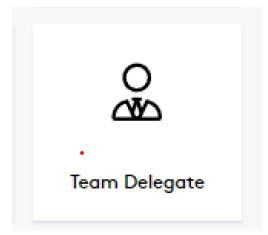 |
| Step 3. Click Register + On the Event you want to register the team in. | 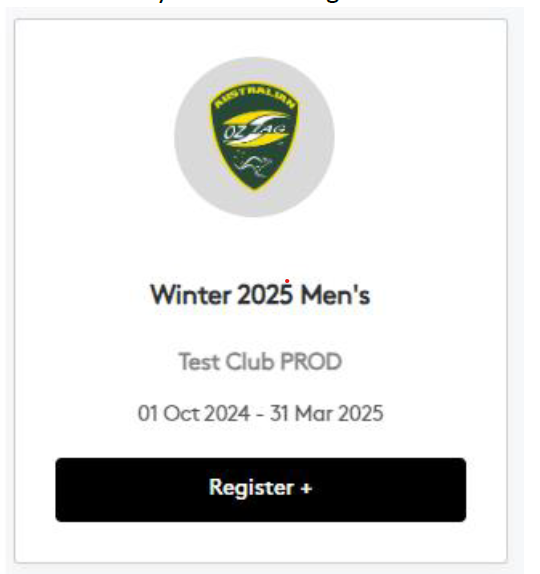 |
| Step 4. Select ‘Register A Team’ | 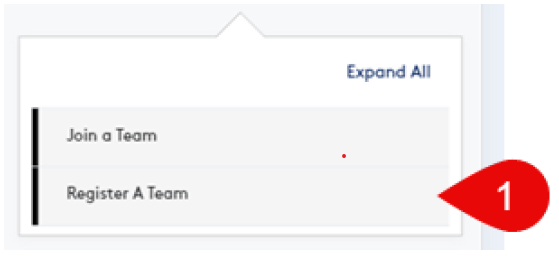 |
| Step 5. Click in the area showing the price (or REGISTER if shown) Note this the team entry fee, if any, not the player fee | 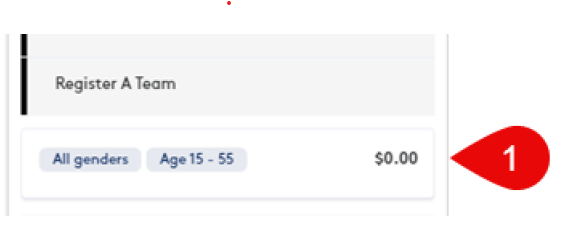 |
| Step 6. Click Create New Team (or select Register next to an existing team if re-registering for a new season) Note that if your team plays in multiple competitions, but has different players (even if only 1 different), then each team needs to be a separate team. | 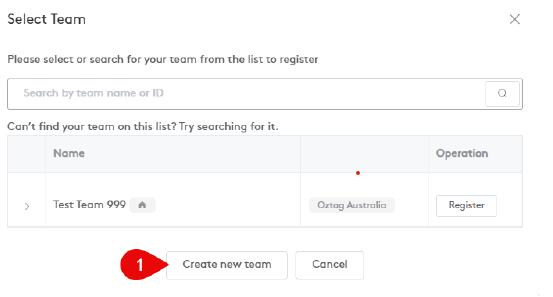 |
| Step 7. Complete all required fields The contact details should be those of the Team Delegate. Click Next when done. | 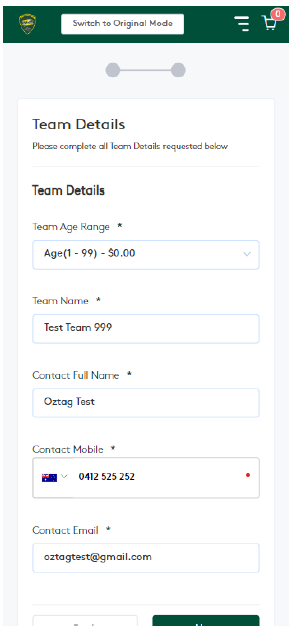 |
| Step 8. Confirm details and pay the TEAM fee (if any). Click Next – If the Team Name has already been registered, you will see an error (similar to this one). You will need to click Back and then update the team’s name before you can proceed. | 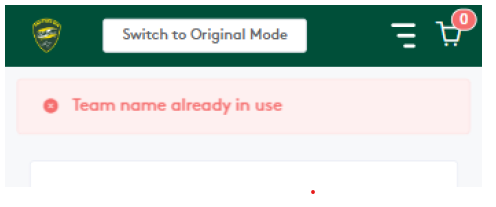 |
| Step 9. After successfully registering the team, you will see the following screen. Make sure you SCROLL DOWN to see the options at the bottom of the screen. 1. This link can be sent to players to register into the team 2. This will copy the link so you can paste it into a message 3. If you have previously registered the team this option will allow you to send the link to previous team members. 4. This will take you back to the dashboard 5. Use this option to REGISTER YOURSELF (or a member of your profile) to the team. | 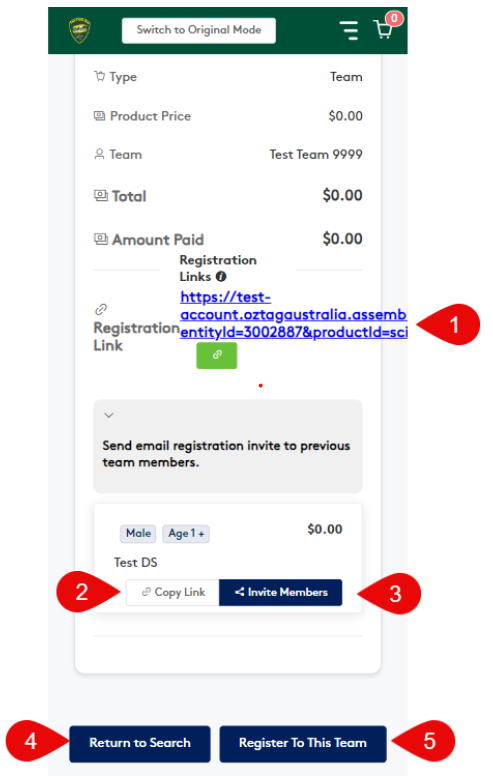 |
| A PDF version of the instructions can be downloaded here: Instructions – Register a Team |